mAIvn Studio
Open your app in Studio, configure a run, and inspect its progress.
#mAIvn Studio
mAIvn Studio is a local workbench for your agents: a browser UI where you can find your apps, chat with them across multiple turns, and watch every step of what they do as it happens. Think of it as a cockpit for building and debugging on your own machine before anything ships to users.
It provides a local HTTP/SSE interface for discovering apps, running multi-turn sessions, and inspecting execution events in real time.
#Start Studio
Install the Studio companion alongside the SDK and launch it from the directory that contains your maivn_studio.json config file. Studio discovers the config from the current working directory and walks up parent directories until it finds one.
pip install maivn maivn-studio
maivn studio
maivn-studio registers the maivn studio subcommand on the SDK CLI; you can also invoke its entry point directly if you prefer:
maivn-studioUsing uv? With a uv-managed project themaivncommand lives in the project's.venv, which uv does not put on yourPATHautomatically. Either run it through uv: ``bash uv run maivn studio`or activate the virtual environment first (.venv\Scripts\activateon Windows,source .venv/bin/activateon macOS/Linux) and thenmaivn studio` works directly. This is expected uv behavior, not a Studio bug.
Optional CLI overrides:
--config/-c: explicitmaivn_studio.jsonpath--host--port/-p--debug/-d--reload/-r--no-browser
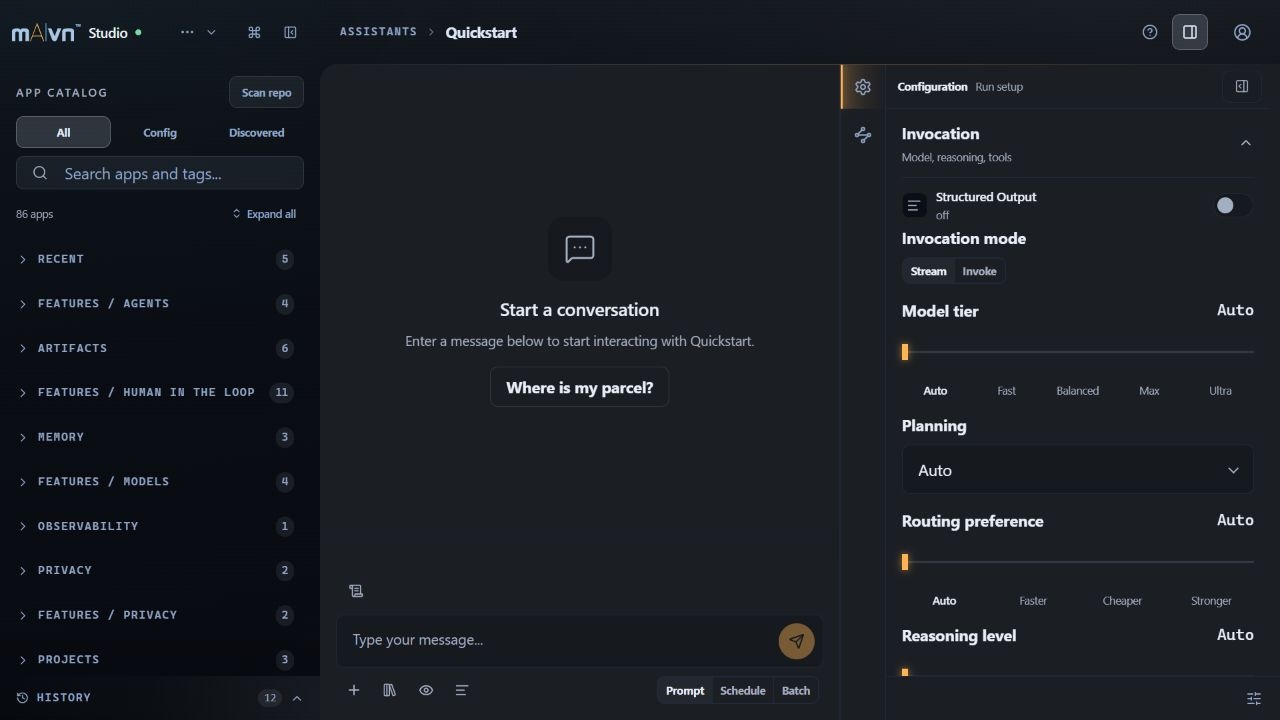
Open the configuration panel to review the selected app and run options before sending a prompt. This capture uses the quickstart example before execution.
#Configuration
Studio reads maivn_studio.json (note the underscore) from the current working directory or any parent directory. A minimal config tells Studio where to find your app modules and how to launch the local UI:
Key sections:
studio: name, host, port, debugenv: environment file and required variablesdiscovery: app scan paths and excludessaved_prompts: persisted prompts shown in Studioapps: explicit app declarations (in addition to discovery)agents: standalone agent declarationsswarms: standalone swarm declarations
{
  "studio": {
    "name": "My Studio",
    "host": "127.0.0.1",
    "port": 8088,
    "debug": true
  },
  "discovery": {
    "paths": ["apps/core", "apps/features", "apps/projects"],
    "exclude": ["__pycache__", ".pytest_cache", "conftest"]
  }
}#App Discovery and Metadata
Studio walks every discovery.paths directory and registers each Python module that defines at least one top-level Agent or Swarm. You can shape how an app appears in Studio with these optional module-level constants:
APP_PROMPTS: list of preset prompts shown in the chat composer.APP_INVOCATION: dict of default execution options applied on every run.DEFAULT_PROMPT: a single string fallback prompt.messages: a pre-built list ofHumanMessage/RedactedMessageinstances.configure_variant(variant: str | None): hook called before execution when the user picks a non-default variant.
If an app does not expose APP_PROMPTS or messages, Studio falls back to extracting literal HumanMessage(content=...) calls from the module source.
APP_INVOCATION accepts: model, reasoning, force_final_tool, targeted_tools, metadata, memory_config, system_tools_config, orchestration_config, and allow_private_in_system_tools.
orchestration_config is accepted for source compatibility, but the current SDK does not send it to the runtime. Use explicit dependencies for required passes and application code for retry-until-verified behavior.
#Sessions and the Chat Composer
Each app launches inside a session: pick an app from the catalog, optionally choose a variant, then send a message. Studio's composer supports human and redacted message types, system-message overrides, attachments, structured output, and Batch Matrix runs.
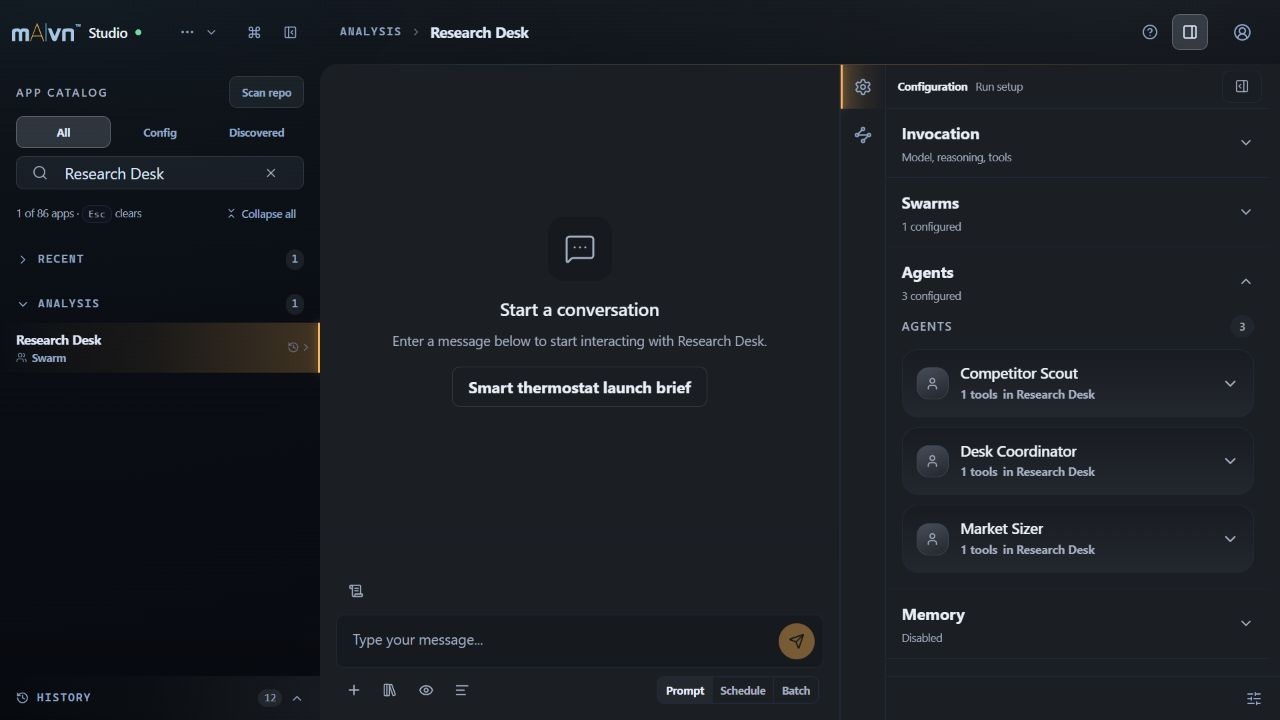
The agent cards show the selected example's agents before a run starts.
#Batch Matrix
Use the Batch Matrix when you need to compare prompts, variants, models, or targeted tools in one grouped turn. Each matrix row becomes its own batch item and can override variant, model, reasoning, system_message, and targeted_tools without changing the app module. Uniform batches reuse the top-level invocation settings for every item.
The batch SSE sequence is:
batch_start— pending row metadatabatch_item_complete— one completed row payloadbatch_complete— aggregate status and all item results
#Live Event Stream
Studio renders the public maivn.events schema, so each frame carries contract_version, event_name, event_kind, and the nested descriptors (tool, assistant, assignment, enrichment, interrupt, output, error_info) you see documented in the Events API reference.
Because Studio is a trusted developer tool running on your machine, it uses the bridge in internal mode and preserves full observability payloads for debugging. Do not copy that setting into customer-facing browser apps — for end-user frontends, use EventBridge(..., audience="frontend_safe") instead.
Common event types:
session_starttool_eventassistant_chunksystem_tool_startsystem_tool_chunksystem_tool_completeagent_assignmentenrichmentinterrupt_requiredturn_completefinalbatch_startbatch_item_completebatch_completeerrorsession_endheartbeat
For the canonical packet contract and bridge-family normalization details, see:
When a supervised Swarm redeploys the same agent multiple times, Studio renders each deployment as a separate nested agent card. The card key is the invocation or assignment ID, not the agent name, so repeated coding_agent or verifier runs stay visible as distinct passes.
#Memory Apps in Studio
A memory-focused app can provide module-level APP_PROMPTS and an APP_INVOCATION.memory_config, so you can run retrieval and persistence flows without re-entering memory settings every turn.
For memory lifecycle verification, monitor enrichment phases such as:
memory_summarizingmemory_retrievingmemory_retrievedmemory_indexingmemory_skill_extractingmemory_insight_extractingresource_registeringresource_registeredresource_dedup_reusedredaction_previewedmessage_redaction_applied
memory_indexed and extraction phases can appear after the final response because indexing/extraction are asynchronous post-finalize operations.
For redaction workflows, Studio surfaces dedicated activity cards for preview and session-start redaction phases. Those cards expose:
- inserted placeholder keys
- values added to
private_data - merged private data after preview
- matched and unmatched caller-supplied known PII values
This visibility is appropriate in Studio because it runs locally for the developer who owns the data. Customer-facing frontends should not expose those raw fields; use the safe bridge audience described in Frontend Events.